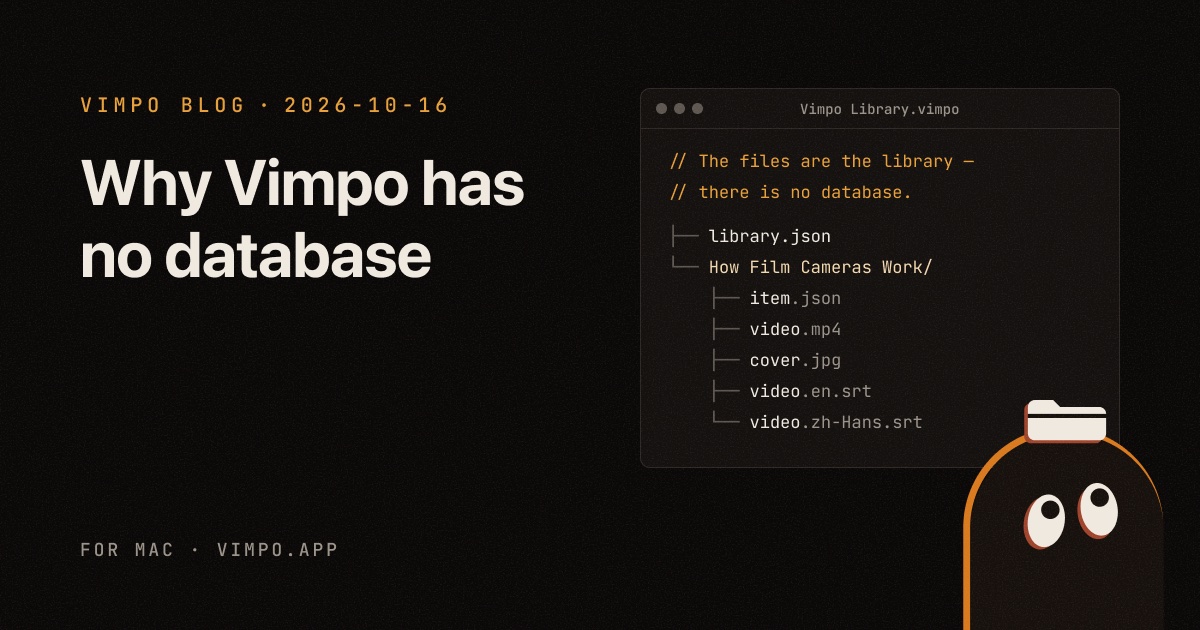
Vimpo Blog · October 16, 2026
Why Vimpo has no database
A little over two years ago I wrote a post called "The best way to use SQLite in Electron". I was building EpubKit, I needed to store data, and I barely thought about it. The first thing I wrote was "the best choice is SQLite".
For Vimpo I didn't use SQLite, and I didn't use Core Data either. To be precise, Vimpo has no database at all.
It started with a short essay by Steph Ango, the CEO of Obsidian, called File over app. There's one line in it I really like:
Apps are ephemeral, but your files have a chance to last.
His point is that if you want the things you make to last, they have to be files you control, in formats any tool can open. Apps stop getting updates and companies shut down, but files don't have to disappear along with them. He writes in Obsidian himself, and he admits Obsidian won't be around forever.
I kept thinking about this while building Vimpo. Vimpo downloads videos, turns the speech into subtitles on your Mac, and has AI translate them into your language. What's left at the end is what people actually care about: the films, the covers, the subtitles. So where should those live?
The library is a folder
The first time you open Vimpo, it asks you to create a library, suggested in your Movies folder. That library is just a regular folder ending in .vimpo. It's not a bundle, and it's not hidden in some corner of ~/Library. Double-click it in Finder and you're in:
Vimpo Library.vimpo/
├── library.json
└── How Film Cameras Work [Xk2pR8vL0aQ]/
    ├── item.json
    ├── video.mp4
    ├── cover.jpg
    ├── video.en.srt
    └── video.zh-Hans.srt
Each film gets a folder named after its title. Everything inside opens in whatever app you like:
video.mp4is a plain MP4. QuickTime, IINA and VLC play it as is.cover.jpgis the cover, a JPEG.video.en.srtandvideo.zh-Hans.srtare the subtitles, one SRT file per language. Whether the text came from Whisper on your Mac or from an AI translation, it always ends up written to an SRT file, not just sitting in the app's cache.item.jsonholds the title, the source link, the duration, which subtitles exist and where you stopped watching.
No database
There's a comment in Vimpo's code: "The files are the library — there is no database." That's not a slogan, it's literal. Each film's item.json is its only record.
The JSON is pretty-printed, with keys in alphabetical order and ISO 8601 dates. In other words, it's written for people to read:
{
  "cover" : "cover.jpg",
  "createdAt" : "2026-10-12T09:41:07Z",
  "duration" : 1264,
  "id" : "6F1C2A9E-3B7D-4C51-9A0E-2D8B5F47C310",
  "lastPlayedAt" : "2026-10-14T21:03:55Z",
  "playbackPosition" : 812.4,
  "sourceURL" : "https://www.youtube.com/watch?v=Xk2pR8vL0aQ",
  "subtitles" : [
    {
      "fileName" : "video.en.srt",
      "isOriginal" : true,
      "languageCode" : "en",
      "lineCount" : 418,
      "origin" : "recognized"
    },
    {
      "fileName" : "video.zh-Hans.srt",
      "isOriginal" : false,
      "languageCode" : "zh-Hans",
      "lineCount" : 418,
      "origin" : "translated"
    }
  ],
  "title" : "How Film Cameras Work",
  "uploader" : "Film Notes",
  "video" : "video.mp4"
}
All the file names are relative, so the library works wherever you move it. Apart from id and title, every field is optional. You could even write an item.json by hand and Vimpo would load it.
So why not SQLite? When I thought about it, a database brings three problems:
- Without the app, a database file is just binary you can't read.
- Put it in a sync folder, and a database file plus its WAL easily ends up in a sync conflict, or even corrupted.
- Moving or renaming things in Finder means nothing, because the app only believes what's in the database.
One small JSON file per film has none of these problems. There's a cost, of course: Vimpo has to scan the whole folder every time. But a personal film library is usually a few hundred to a few thousand films, so a scan is cheap. If it ever gets too slow, I can add a SQLite index then. But it will only ever be a cache, safe to delete and rebuilt from the JSON files.
What you do in Finder counts
If the folder is the library, then whatever you do in Finder should count in Vimpo. So every time you switch back to Vimpo, it rescans the library:
- Rename a film's folder in Finder, and it's still the same film, with its playback position intact.
- Change the title in
item.json, and Vimpo shows the new title when you come back. - Duplicate a film's folder in Finder, and you get a second, separate film.
- Delete the folder, and the film disappears from the wall.
- The other way round, deleting a film in Vimpo moves its folder to the Trash instead of erasing it.
It also means Vimpo doesn't need Export or Backup features. Time Machine backs it up, and iCloud Drive, Dropbox or Syncthing can sync it. On a new Mac, copy the whole .vimpo folder over and open it with Open Library (⌘O). That's it.
What isn't in the library
Not everything lives in the library. Download tools like yt-dlp and ffmpeg, Whisper models and the translation cache live in ~/Library/Application Support/Vimpo/, and API keys live in the Keychain.
The rule I set myself is simple: what you make goes in the library; what the app needs stays outside. If you lose anything outside, it can be downloaded or regenerated, and you won't be missing a single film or line of subtitles. The translation cache, for example, only saves you some tokens and time; the actual translations are already in the library as SRT files.
Also, Vimpo has no accounts and no servers holding anything of yours. No account means you'll never get a "this service is shutting down, please export your data within 30 days" email 😂
Conclusion
I know Vimpo will be outdated one day. Maybe I'll stop maintaining it, maybe something better will come along. When that day comes, I hope you can open your Movies folder and find your films, covers and subtitles still there, opening in any player and any text editor, as if Vimpo had never existed.
That sounds a bit odd coming from someone who makes apps. But I think one of the best things an app can do for its users is make itself replaceable.