VimpoBeta
Download for Mac

Vimpo Studio · for creators

Cut video the way you select text

Select lines in the transcript and press ⌘B to make a clip. AI can pick out the parts of a video that stand on their own.

Beta · macOS 15.6 or later

Uses

Three common uses

01

Clips from foreign-language interviews

Paste a podcast link in any language. Vimpo downloads it, writes the subtitles and translates them; pick the best lines in the bilingual transcript, and both languages get burned in.

Transcript
中ChineseEnglish
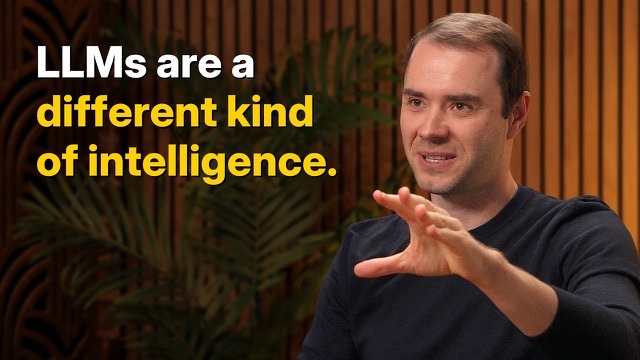
1:21更准确的说法是:这是智能体的十年。This is really a lot more accurately described as the decade of agents.
1:46你觉得到底是什么需要十年才能做到?What do you think will take a decade to accomplish?
1:56你可以把它想成一个员工,或者一个你招来一起干活的实习生。You should think of it almost like an employee or an intern that you would hire to work with you.
2:13今天之所以不这么做,是因为它们还不太好用。The reason you don't do it today is because they just don't work.
2:23它们没有持续学习的能力。你告诉它一件事,它记不住。They don't have continual learning. You can't just tell them something and they'll remember it.
2 lines selected
1:56 – 2:23 · 0:27
Make Clip
02

Shorts from your own long videos

Drop in a stream replay, a lecture or a webinar recording. Subtitles are made on your Mac, then AI reads them, picks the moments that stand on their own, and says why.

Stream replay 10-14.mov
2:41:07 · Local Import
AI Picks5 · 6:12 totalAdd All
1
100k followers in three months
A clear claim, with numbers
4:12 – 5:31 · 1:19
Add to ClipsDismiss⌘B to add
2
Topic beats editing
One idea, fully made
18:40 – 19:52 · 1:12
3
What to post first
The question beginners ask most
42:05 – 43:10 · 1:05
4
Last advice: just ship it
Works as a closer
2:36:48 – 2:37:40 · 0:52
03

Hand off to your editor

Export finished clips with subtitles, an SRT for each clip timed from 0:00, or tick FCPXML to keep editing in Final Cut Pro or Premiere.

Export
Content
3 ClipsWhole Film
Export as
VideoSubtitle Files
The decade of agents0:25
What will take a decade?0:27
Why agents don't work yet0:23
Subtitles
Burn InSRT FileNone
Quality
720p1080pOriginal
AlsoFCPXML, to keep editing in Final Cut / Premiere
3 · 1:15 in allCancelExport 3 Clips…

Path

From link to export

  1. 01
    Paste a link
    Thousands of sites, or drop in your own video
  2. 02
    Transcribe
    Whisper, on your Mac
  3. 03
    Translate
    With your own model
  4. 04
    Cut
    Studio, ⌘2
  5. 05
    Export
    Video, SRT or FCPXML

FAQ

Questions

What does it cost?

It's completely free during the beta. The full release will be a one-time purchase, not a subscription. Speech recognition runs on a local model and stays free; AI features such as translation and AI Highlights use your own LLM API key.

Are my videos uploaded?

No. Videos stay on your Mac, and speech recognition runs there too. AI Highlights sends only the subtitle text and the video's title to the model you pick; with a local model in Ollama or LM Studio, nothing leaves your Mac.

Which model finds the highlights?

Any service you connect, in Settings → AI Providers.

Can I finish my clips in Final Cut or Premiere?

Yes. Tick “FCPXML” when you export clips, then open the file in Final Cut Pro or Premiere.

What do I need?

macOS 15.6 or later.

Vimpo for Mac

v1.5.0 · Beta · macOS 15.6 or later