Vimpo Blog · October 17, 2026
Vimpo vs Downie: what happens after the download
People ask us: I already have Downie, why would I want Vimpo?
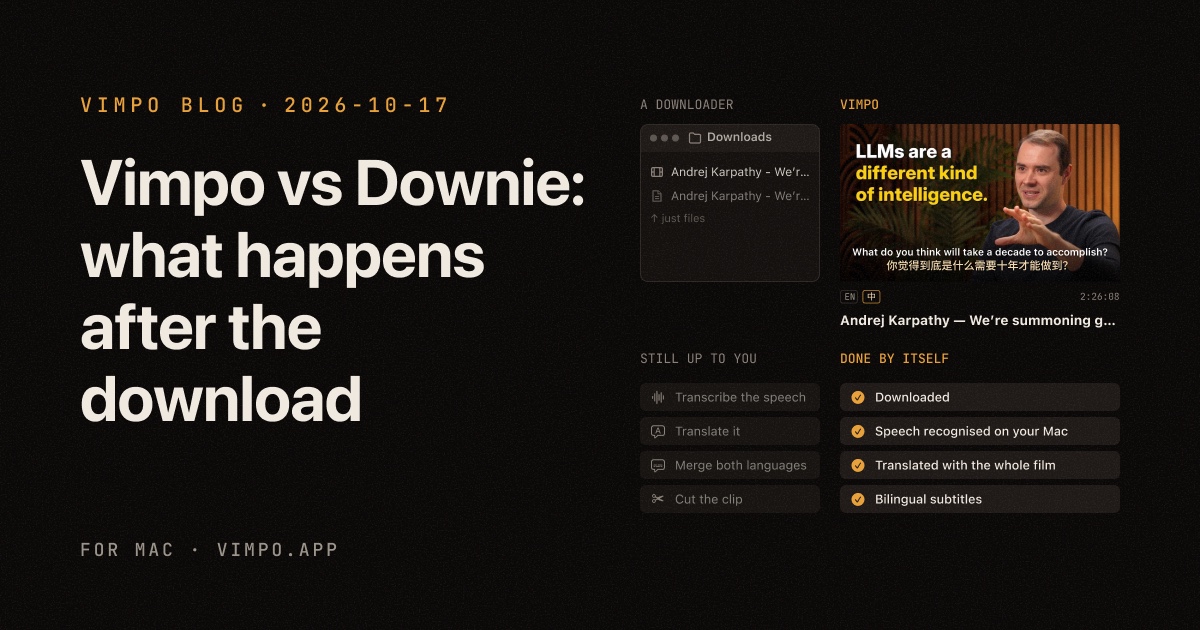
The short answer: Downie's job ends once the video is on your disk. That's where Vimpo's starts. Both download from over a thousand sites, so whether you can get the video at all is rarely the difference. The difference is what happens next: how a video in a language you don't speak, often with no subtitles, becomes something you can follow and cut.
Here is the same link handed to a downloader and to Vimpo:
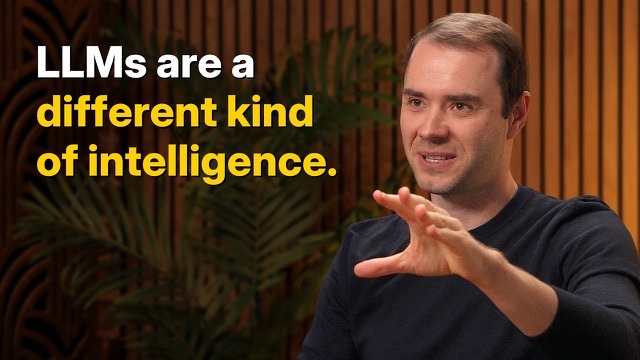
Both spend the same few seconds downloading. On the left you get a video file, and if you're lucky the site's own English captions. On the right, Vimpo goes on to recognise the speech and translate it, and when it's done you have a film with subtitles in two languages.
For downloading alone, Downie is more mature
Credit where it's due. Downie has been around for years and is more polished than Vimpo at downloading itself. It has extensions for Safari, Chrome and Firefox. It downloads whole playlists and records live streams. It can convert to MP4 or keep only the audio after a download, and more formats with Permute. When a site isn't supported, you can open the page in its built-in browser and let it find the video. If all you want is the file, Downie is a solid choice.
Vimpo downloads from over a thousand sites too. You pick the quality, it can use your browser's login for members-only videos, and an interrupted download picks up where it left off. But that isn't where its effort goes.
Subtitles for videos that have none
A downloader can only give you the subtitles the site already has. Many videos have none. Some only have auto-generated captions that stay on screen for ten seconds at a time. Subtitles in your own language are rarer still.
Vimpo turns the speech into subtitles with Whisper, on your Mac, with nothing uploaded. Every video gets subtitles in its original language. With Smart Line Breaks on, long lines are split where the speaker pauses; How we cut long subtitles down to size explains how.
Translation that has seen the whole film
Feed subtitles to a translator line by line and three things tend to go wrong: the translation slips a line out of step, a misheard name gets translated as heard, and the same term comes out differently from one scene to the next. Vimpo's Smart Translation sends the title and the whole transcript with every batch. Here are real results from the same video and the same model, with it off and on:
You choose the service: OpenAI, Claude, Gemini, DeepSeek and others with your own API key, or a local model through Ollama or LM Studio at no cost.
Watching in two languages
A downloader hands you a file. Which player you use and how you load the subtitles is up to you. Vimpo has its own player: your language on top, the original underneath, and the whole transcript beside the picture. Click any line to jump there.
Clips, exported with subtitles
If you make videos, the last step is usually cutting a few self-contained moments out of an hour-long video and burning the subtitles in. With a downloader, that means opening a video editor.
In Vimpo's Studio (⌘2) you pick lines on the transcript and press ⌘B to make a clip. AI can suggest the parts that stand on their own. Set the subtitle style once and export every clip with the subtitles burned in:
Click a line, then Shift-click another.
Trim it on the timeline; its edges snap to the lines.
Your own model reads the subtitles and picks moments that stand on their own.
Outline, box or large type, in one language or two.
Subtitles burned in, or FCPXML to keep editing in Final Cut or Premiere.
Side by side
| Downie | Vimpo | |
|---|---|---|
| Downloads from 1,000+ sites | ✓ | ✓ |
| Browser extensions | ✓ | — |
| Playlists, live stream recording | ✓ | — |
| Format conversion after download | ✓ | — |
| The site's own subtitles | ✓ | ✓ |
| Subtitles from speech, on your Mac | — | ✓ |
| AI translation with the whole film in mind | — | ✓ |
| Bilingual playback, click a line to jump | — | ✓ |
| Clips from the transcript, AI picks | — | ✓ |
| Export with subtitles burned in | — | ✓ |
| Price | $19.99 for the current major version | Free during the beta, a one-time purchase at release |
The Downie column is based on its website and release notes (4.13.3, October 2026). A dash means neither mentions the feature.
Which one to use
- You just want the file, or whole playlists, live recordings and automatic conversion: use Downie.
- You want to understand a video in another language, with subtitles in yours or in both: use Vimpo.
- You make clips from long videos and need them with subtitles: use Vimpo.
You can also use both. Drag a video you downloaded with Downie onto Vimpo's wall, or press ⌘I to import it, and it gets the same transcription, translation and clips. You can link the original file instead of copying it, so it takes no extra space.
Every Vimpo feature is free during the beta. Download it here.