 YouTube downloader · subtitles
Download YouTube videos
with subtitles you can actually follow
YouTube's auto-translate shows one language at a time and often gets names and terms wrong. Paste a link: Vimpo downloads the video to your Mac, makes bilingual subtitles with the original and your language together, and picks out the parts worth watching.
YouTube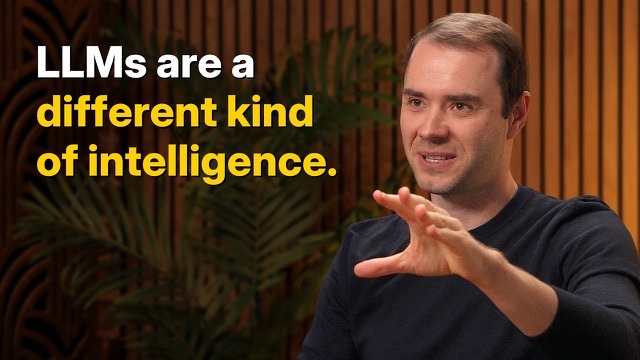
Any video, in your language
Transcription works in about a hundred languages, then translates into a dozen.
- EnglishEmpecemos por el modelo más simple posible.Let's start with the simplest possible model.Lectures and interviews
- 日本語Este camino es más tranquilo por la mañana.この道は、朝がいちばん静かです。Japanese travel vlogs
- ItalianoPrimero el sofrito, luego el arroz. Nunca al revés.Prima il soffritto, poi il riso. Mai il contrario.Cooking channels
- EnglishLa siguiente es una canción que tocaba mi padre.This next one is a song my father used to play.Live music and documentaries
Paste a link, Vimpo does the rest
- https://www.youtube.com/watch?v=lXUZvyajciY1Paste the link
Copy the YouTube video's link and paste it into Vimpo.
- Always RunDownload1080p · MP4
- SubtitlesUses the video's own if it has them
- TranscribeOn this Mac, nothing is uploaded
- TranslateTranslate to Español
2Set it up onceDownload, transcribe and translate are all on by default. Turn the last two off for just the video.
- Reading link…TranslatingReading LinkDownloadTranscribeTranslate
Andrej Karpathy — We’re summoning ghosts, not building animals 3Watch when it developsDownloading, transcribing and translating show on the cover as it develops.
The original and the translation, together
Missed a line? Click it to jump back. Handy if you're learning the language.
- Smart TranslationNames and terms stay consistent
- Smart Line BreaksLong lines split into short ones
- ExportBurn the subtitles in and share
Long video? Watch the best parts first
AI reads the whole transcript, picks the parts worth watching and marks them on the progress bar. Click one to play it.
Cut it into clips with subtitles
Switch to Studio: pick lines on the transcript to make a clip, or take the highlights AI found, and export them with subtitles.
Click where it starts, then where it ends.
Trim it on the timeline; its edges snap to the lines.
Your own model reads the subtitles and picks moments that stand on their own.
Outline, box or large type, in one language or two.
Subtitles burned in, or hand it to Final Cut or Premiere.
On the website, and in Vimpo
Not just YouTube
Every site yt-dlp supports works the same way.
 Bilibili
 Dailymotion
 Vimeo
Vimeo Twitch
 TED
TED X
X TikTok
 Instagram
 Facebook
 Reddit
 SoundCloud
 niconico
Questions
Can it use YouTube's own subtitles?
Yes. When a video has subtitles from its creator, Vimpo downloads and translates those; otherwise it transcribes on your Mac.
Can it download members-only or age-restricted YouTube videos?
Yes. Turn on “Use Browser Sign-In” in Settings and Vimpo uses your YouTube sign-in from Safari, Chrome and other browsers.
What does Vimpo cost?
It's completely free during the beta. The full release will be a one-time purchase, not a subscription. Speech recognition runs on a local model and stays free; AI features such as translation and AI Highlights use your own LLM API key.
The video has no subtitles. How does Vimpo make them?
Vimpo transcribes the audio on your Mac with a speech model such as Whisper; the video is never uploaded. If the video has its own subtitles, Vimpo uses those.
Which languages does it support?
Transcription works in about a hundred languages, including English, Chinese, Japanese, French, Spanish and Korean. Translation goes into a dozen languages, including English, Spanish and Chinese.
Do translation and highlights cost extra?
Both use your own AI provider: add an API key from OpenAI, DeepSeek, Gemini and others, and you pay the provider's price with no markup. Local models in Ollama or LM Studio are free.
Can I just download the video, without subtitles?
Yes. Turn off Transcribe and Translate when you download, and Vimpo only saves the video.
What format are the downloads?
MP4. 1080p by default, with H.264 video and AAC audio that play on any Mac or iPhone. You can also pick 720p, Best Quality (up to 4K) or Audio Only (m4a).
Can I download several videos, or a whole playlist?
You can paste several links, one per line, and they download in turn. Playlists aren't supported yet.
What about videos that need a sign-in?
Turn on “Use Browser Sign-In” in Settings and Vimpo uses your sign-in from Safari, Chrome, Firefox and other browsers.
Is there a Windows version?
No. Vimpo is a native Mac app and needs macOS 15.6 or later.
Is it legal to download YouTube videos?
It depends on the video's rights and what you do with it. Only download videos you have the right to save, such as your own uploads or ones the creator allows.