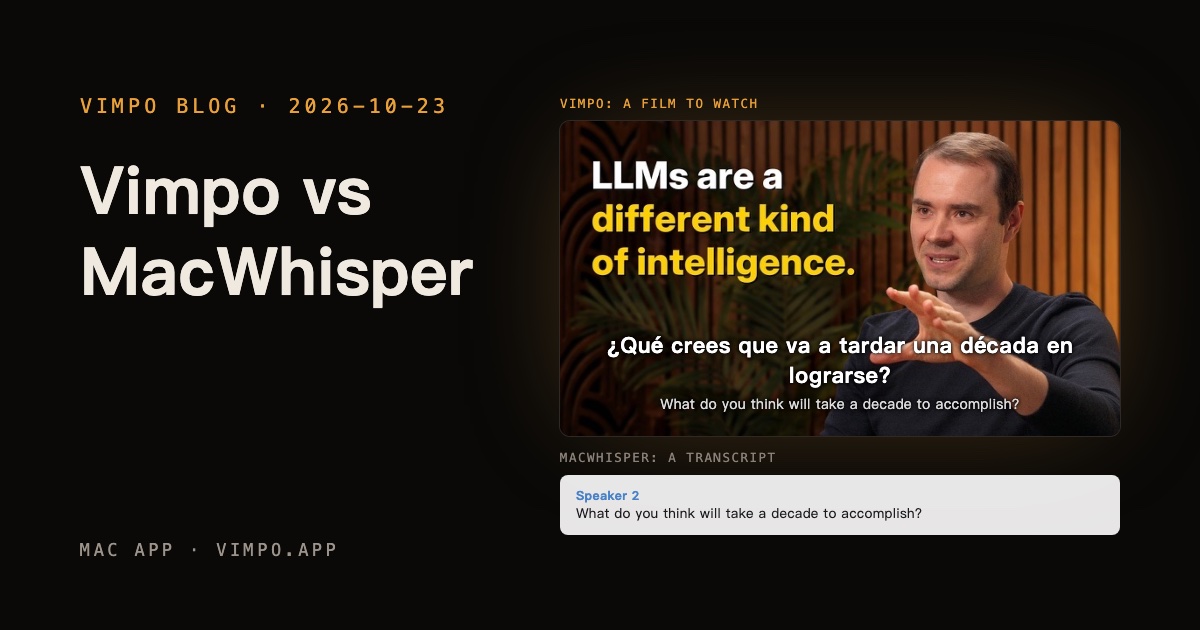
Vimpo vs MacWhisper: a transcript, or a film to watch
Vimpo and MacWhisper both run Whisper on your Mac, so they get compared a lot. Neither uploads anything, both tell speakers apart, both export SRT, and both take a YouTube link.
What you end up with is different. Here is the same interview at the same minute; switch between the two:
Same video, same minute
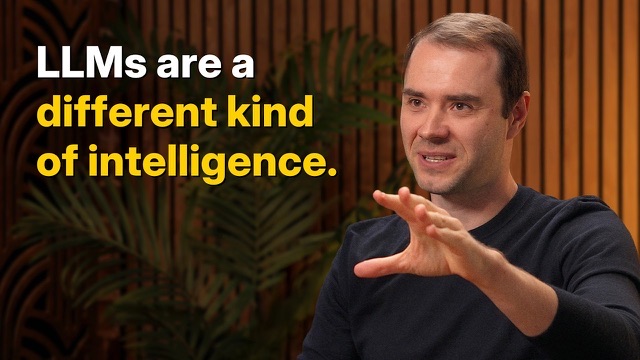
Andrej Karpathy — We’re summoning ghosts, not building animals
¿Qué crees que va a tardar una década en lograrse?
What do you think will take a decade to accomplish?
1:46 / 2:26:08Both
A film: your language over the picture, the transcript following along.
‹Andrej Karpathy — We’re summoning ghosts, not building animalsCopyExport Search in transcript
Speaker 1
This is really a lot more accurately described as the decade of agents.
Speaker 2
What do you think will take a decade to accomplish?
Speaker 1
You should think of it almost like an employee or an intern that you would hire to work with you.
Speaker 1
The reason you don't do it today is because they just don't work.
Speaker 1
They don't have continual learning. You can't just tell them something and they'll remember it.
01:46 / 2:26:081 ×
A transcript: read it, search it, export it to Word or SRT.
Vimpo gives you a film to watch
It starts from a link. Vimpo downloads the video from YouTube, Bilibili or any of a thousand other sites, keeps it in your library, transcribes it if it has no subtitles, then translates. You watch with your language on top and the original underneath, and click any line in the transcript to jump there.
Translation that has seen the whole video
Every batch goes out with the title and the whole transcript, so misheard names don't get translated as heard and terms stay the same from scene to scene. Same video, same model, with that off and on:
OffOn
Lines stay in step
Yeah.
Seguro que hubo muchos antecedentes que los llevaron a ese lugar.Sí.
I saw AlexNet just like everybody else saw AlexNet.
Sí.Vi AlexNet igual que lo vio todo el mundo.
And, and, but remember, our lens of the world…
Vi AlexNet igual que lo vio todo el mundo.Pero recuerda, nuestra forma de ver el mundo…
Misheard names get fixed
And what Irimandris recognized was…
Lo que Irimandris entendió fue…Lo que el Sr. Irimajiri entendió fue…
“agent” appears 31 times, translated the same way every time
Off
agente 17representante 14
On
agente 31
Clips, with the subtitles burned in
Pick lines in Studio (⌘2), press ⌘B, and that's a clip. AI can suggest the parts that stand on their own. Export them all with subtitles in the picture:
Click a line, then Shift-click another.
Trim it on the timeline; its edges snap to the lines.
Your own model reads the subtitles and picks moments that stand on their own.
Outline, box or large type, in one language or two.
Subtitles burned in, or FCPXML to keep editing in Final Cut or Premiere.
Andrej Karpathy — We’re summoning ghosts, not building animals
CinemaStudio
Export
Transcript
1:21En realidad, es mucho más exacto llamarla la década de los agentes.This is really a lot more accurately described as the decade of agents.
1:46¿Qué crees que va a tardar una década en lograrse?What do you think will take a decade to accomplish?
1:56Piénsalo casi como un empleado o un becario que contratas para trabajar contigo.You should think of it almost like an employee or an intern that you would hire to work with you.
2:13Si hoy no lo haces, es porque todavía no funcionan.The reason you don't do it today is because they just don't work.
2:23No tienen aprendizaje continuo. Les cuentas algo y no lo recuerdan.They don't have continual learning. You can't just tell them something and they'll remember it.
2:28Resolver todos esos problemas llevará más o menos una década.It will take about a decade to work through all of those issues.
2 lines selected
1:46 – 2:13 · 0:27
Make Clip
En realidad, es mucho más exacto llamarla la década de los agentes.
This is really a lot more accurately described as the decade of agents.
¿Qué crees que va a tardar una década en lograrse?
What do you think will take a decade to accomplish?
Si hoy no lo haces, es porque todavía no funcionan.
The reason you don't do it today is because they just don't work.
Si hoy no lo haces, es porque todavía no funcionan.
The reason you don't do it today is because they just don't work.
00:01:46:12
IO
ClipsSubtitle Style
No clips yet
Clips1 · 0:27 total2 · 0:52 total3 · 1:15 total
The decade of agents1:21 – 1:46 · 0:25
What will take a decade?1:46 – 2:13 · 0:27
Why agents don't work yet2:13 – 2:36 · 0:23
AI Highlights
Moments from the subtitles that stand on their own
Find Highlights
AI Picks2 · 0:48 totalAdd All
1The decade of agents1:21 – 1:46 · 0:25
Add to Clips
2Why agents don't work yet2:13 – 2:36 · 0:23
Presets
SubtitlesOutlineSubtitlesBoxSubtitlesLarge
Two Languages
Translation on TopOriginal on Top
TimelineAI Picks 2
PictureSpanishSound
1:301:452:002:152:30En realidad, es mucho más exacto llamarla la década de los agentes.¿Qué crees que va a tardar una década en lograrse?Piénsalo casi como un empleado o un becario que contratas para trabajar contigo.Si hoy no lo haces, es porque todavía no funcionan.No tienen aprendizaje continuo. Les cuentas algo y no lo recuerdan.Resolver todos esos problemas llevará más o menos una década.
1
2
The decade of agents
What will take a decade?
Why agents don't work yet
Export
The decade of agents0:25
What will take a decade?0:27
Why agents don't work yet0:23
Subtitles
Burn InSRT File
Quality
720p1080p
FCPXML, to keep editing in Final Cut / Premiere
CancelExport 3 Clips…
If all you need is text, MacWhisper does more
Meeting recording, dictation in any app, Word and PDF export, chatting with a transcript: Vimpo has none of these, and no TXT export yet either (you copy the transcript instead). If you mostly work with recordings and want a document at the end, it's the better fit.
Side by side
Vimpo
MacWhisper
Whisper on your Mac, nothing uploaded
✓
✓
Download and keep the video, 1,000+ sites
✓
—
Translation
✓ with the whole video in mind
Pro
Video player with subtitles
✓ two languages, click a line to jump
Pro
Clips with subtitles burned in
✓
—
Transcribe from a YouTube link
✓
Pro
Speaker labels
✓
Pro
SRT and VTT subtitles
SRT
✓
Word, PDF, Markdown export
—
✓
Meeting recording
—
Pro
Dictation in any app
—
✓
Chat and summaries over the transcript
—
Pro
iPhone and iPad
—
✓
Price
Free during the beta, a one-time purchase at release
Free, or €64 once for Pro
The MacWhisper column is based on macwhisper.com and its documentation (October 2026). “Pro” means MacWhisper Pro only. In the MacWhisper column, a dash means neither mentions the feature.
Which one to use
A video in a language you don't speak, that you want to watch: Vimpo.
Clips from long interviews, with subtitles: Vimpo.
Meetings, voice memos, lectures, dictation, anything you want as text: MacWhisper.
They overlap less than it looks, and plenty of people will want both. Every Vimpo feature is free during the beta. Download it here.