Video to transcript · Mac
Get the transcript
of any interview
YouTube only shows a transcript when a video has captions, and most other sites have none. Paste a link or drop in a file: Vimpo transcribes it on your Mac, labels who's speaking, and lets you copy it all as text or export an SRT with timecodes.
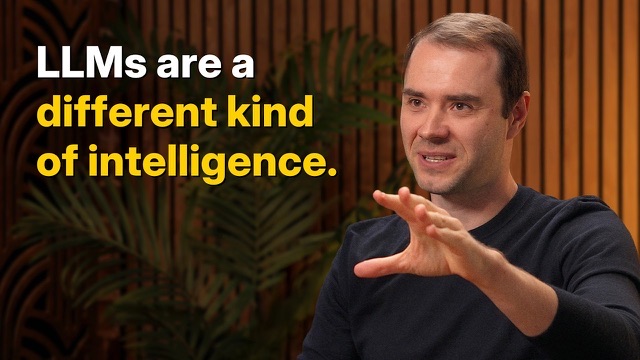
This is really a lot more accurately described as the decade of agents.
What do you think will take a decade to accomplish?
You should think of it almost like an employee or an intern that you would hire to work with you. The reason you don't do it today is because they just don't work. They don't have continual learning. You can't just tell them something and they'll remember it. It will take about a decade to work through all of those issues.
Turn any of these into text
Paste a link for videos online, or drop in recordings from your Mac.
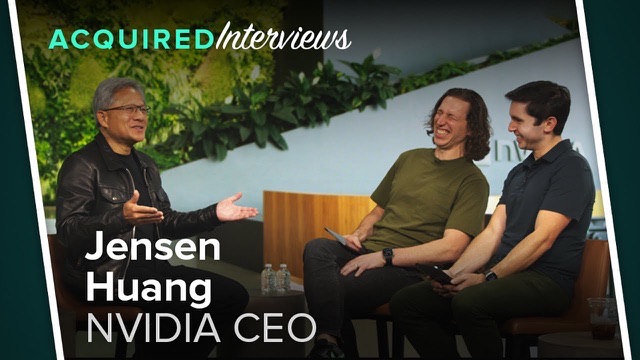 3 speakersInterviews and podcasts
Conversations split by who's speaking.
 EnglishLectures and talks
Courses, TED talks, keynotes, for your notes.
 .mov · .m4a · .mp3Recordings on your Mac
Meeting recordings, calls, m4a and mp3 files.
 Español → EnglishForeign-language videos
Transcribed, then translated into your language.
A transcript in three steps
- https://www.youtube.com/watch?v=lXUZvyajciYDrop video or audio.mp4 · .mov · .m4a · .mp31Paste a link, or drop a file
YouTube, podcast sites and anything else yt-dlp supports, or video and audio on your Mac.
- Always RunDownload1080p · MP4
- SubtitlesUses the video's own if it has them
- TranscribeMOSS · tells who is speaking
- TranslateOff
2Transcribed on this MacIf the video has captions, Vimpo uses them. If not, a local speech model transcribes it. Nothing is uploaded.
- Copy TranscriptAndrej Karpathy — We’re summoning ghosts, not building animals.srt3Copy it, or export an SRT
Copy the whole transcript in one click, or export an SRT with timecodes from Studio.
Who said what
Pick the MOSS model and every line is labeled with its speaker. Click a name to rename that speaker everywhere.
This is really a lot more accurately described as the decade of agents.
What do you think will take a decade to accomplish?
You should think of it almost like an employee or an intern that you would hire to work with you.
The reason you don't do it today is because they just don't work.
They don't have continual learning. You can't just tell them something and they'll remember it.
It will take about a decade to work through all of those issues.
Copy it as text, or export an SRT
Copy the whole thing to read or quote it; export an SRT when you need the timecodes.
Andrej Karpathy  1:21
This is really a lot more accurately described as the decade of agents.

Dwarkesh Patel  1:46
What do you think will take a decade to accomplish?
Split by speaker, with times. Paste it into Notes, Pages, Google Docs or Notion.
1
00:01:21,000 --> 00:01:27,000
This is really a lot more accurately described as the decade of agents.

2
00:01:46,000 --> 00:01:49,000
What do you think will take a decade to accomplish?
Every line with its start and end time, for players, editors and YouTube uploads.
Other ways to get a transcript
Questions
How do I get the transcript of a YouTube video with no captions?
Paste the link into Vimpo. When a video has no captions, Vimpo transcribes it on your Mac with a local speech model (Whisper or MOSS). Then click “Copy Transcript” at the top of the transcript.
Can it transcribe podcasts?
Yes. Paste a link from YouTube, SoundCloud or any other site yt-dlp supports, or drop an mp3 or m4a you already have into Vimpo.
Can I save the transcript as a plain text file?
There's no TXT export yet. “Copy Transcript” copies the whole thing, split by speaker and with times, so you can paste it anywhere and save it. For timecodes, use “Export Subtitle File…” in Studio to save an SRT (or ASS).
Can it tell who's speaking?
Yes. Pick the MOSS speech model and it labels every line with its speaker. Click a speaker's name to rename them everywhere; the copied text uses that name too.
Is my video uploaded?
No. Downloading and transcription run on your Mac. Only if you turn on translation is the subtitle text sent to the AI provider you chose, and with local models in Ollama or LM Studio nothing leaves your Mac at all.
Which languages does it support?
Whisper transcribes about a hundred languages, including English, Spanish, French, German, Japanese and Chinese. Translation goes into a dozen languages.
What does Vimpo cost?
It's completely free during the beta. The full release will be a one-time purchase, not a subscription. Speech recognition runs on a local model and stays free; AI features such as translation use your own LLM API key.
Is there a Windows version?
No. Vimpo is a native Mac app and needs macOS 15.6 or later.